| Dee (The devils Z) came by today to show me his car computer setup. It's very nice!. So nice I think I will probably be going with the same setup. While he was here I went over my consult software with him today and we came up with a few more good ideas for it. I have a copy of Mike's (member xtensive's) software source code and went over most of the code routines between Mike's and my software with Dee. I wanted to point out that my software was made completely from scratch and none of my routines are like the ones Mike used in his software. I wanted to point this out to make sure no-one will think I am pulling some sort of plagiarism thing with Mike's source code. Another thing is that I am doing all my communication through the serial port using binary format where Mike used text format. Mike had told me he was not familiar with using the binary format so I sent him one of my old serial port programs which used the binary routines for him to see how it functions. It's really no wonder Mike had used the text routine because if you do a Google search on serial port communication with visual basic almost every example you find will show you how to use text format routines with the MSComm control and it's OnComm event. Binary examples you find will also show examples using the OnComm event of the MSComm control. The binary routines I am using do not use the MSComm OnComm event at all. Recently I have had a few emails from people asking me about problems they are experiencing with ConZult, Datascan and Zcontrol. They are informing me that sometimes their map data will look all wrong and that these programs will freeze, get confused, or stop working when they try to open a different window or use their computer for other things at the same time they are using the vehicle software. The reason is because using the MSComm control's OnComm event causes a delay which needs to be handled in your code routines and not only can they be tricky to get right but also just a pain in the ass in general. The OnComm event fires when something is received by the MSComm control's input buffer. When it fires, the code routines you have placed in it are ran to handle whatever is coming across the MSComm control's receive buffer. The problem is that due to the way this works, anything you do outside of the OnComm event process will effect it's speed. Something like serial data coming in as fast as it does needs to be handled very quickly and without interruption. If you do something like open a window in front of your vehicle software where the focus is now on that window it will distract the process of handling the data and things can get confused. By turning off the OnComm event (which is done by setting it's RThreshold property to zero), using binary mode and performing routines to handle the MSComm's input buffer directly, you can now handle the data flow without interruption. I learned this from a fellow programmer who was in France that I had met on a visual basic news group about ten years ago while he and I were working on separate code projects but for the same amateur radio which we were programming to control. Anyway, that's my code spill for this post and sorry if I burned anyone's ears with it. Here now are some pictures of Dee's car and car computer setup. Dee arriving at my house.


Dee's A/F gauges. Nice location for gauges.
 Dee's car computer.


ConZult software.


Dee departing area.
 
All the neighbors started looking out windows right about now :)
 Thanks for coming by Dee!
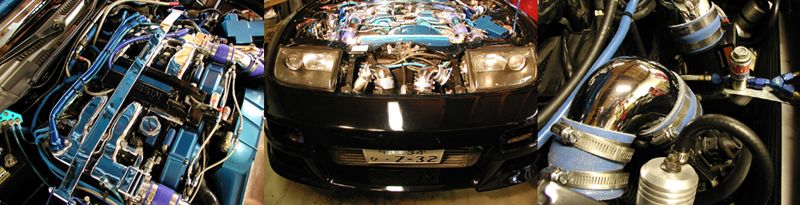 (Total Mouse Over Hits: a Lot) www.mytwinturbo.com Watch an ECZA meet caravan!
|


 Dee's car computer pictures and some code talk. -
  13:03:21 01/25/09

